Powerful Features Built for Restaurant Operations
OrderOK combines POS billing, menu control, tables & QR codes, KOT kitchens, inventory, staff, payments, and reporting—so you can run every outlet smoothly with complete control.
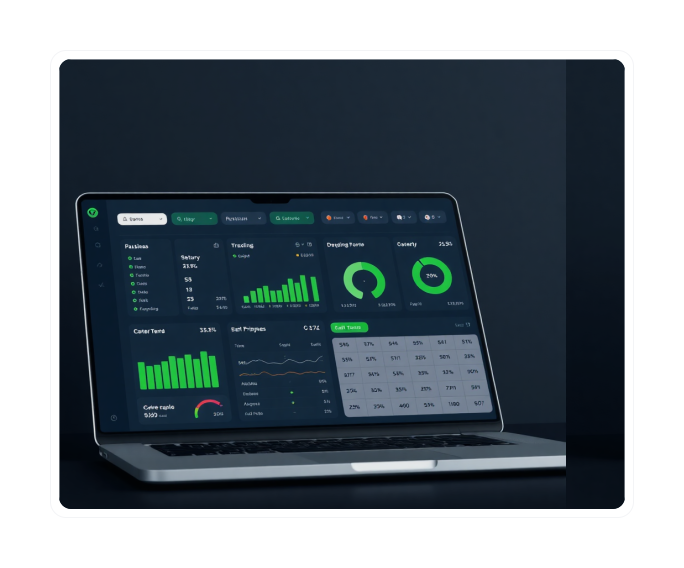
Feature Highlights
Everything you need to manage your restaurant efficiently
POS Billing & Checkout
Fast billing with modifiers, discounts, split orders, and seamless checkout for all order types.
Menu + Modifiers Management
Create menus, organize items, and add customizations like sizes, toppings, and spice levels.
Tables, Areas & QR Ordering
Manage dining areas, assign tables, and generate QR codes for contactless ordering.
Multi-Kitchen KOT Routing
Route KOTs to the right kitchen instantly with veg/non-veg separation support.
Inventory + Recipes + Purchase Orders
Track stock, manage recipes, and automate consumption tracking to reduce wastage.
Reports, Tax & Business Insights
Access sales, tax, item, category, and cancellation reports instantly.
Fast POS Billing Built for Speed & Accuracy
Take orders and bill customers in seconds with a smooth POS workflow, modifiers, discounts, split bills, and reliable checkout.
- Quick billing & item search with fast navigation
- Item modifiers and add-ons for customizations
- Split orders and split payments across customers
- Discounts and coupons with flexible rules
- Dine-in, takeaway, delivery billing in one screen
- Order status tracking for kitchen coordination
- Faster checkout with fewer errors
Why it matters
Reduce queues, avoid billing mistakes, and speed up table turnover. A smooth POS experience means happier customers and higher revenue.
Smart Menu Setup with Categories & Modifiers
Create menus quickly, categorize items, and offer customizations such as sizes, toppings, spice levels, and add-ons.
- Menus for different times or outlets
- Menu Items with images and descriptions
- Item Categories for easy organization
- Modifier Groups (size, spice, toppings)
- Item Modifiers with pricing control
- Price configuration per variant
- Flexible item availability settings
Why it matters
Improve order accuracy and increase average order value through add-ons. A well-structured menu makes ordering faster for both staff and customers.
Manage Tables, Areas & QR Codes Easily
Create dining areas, assign tables, and generate QR codes to streamline dine-in ordering and service.
- Areas management for different sections
- Tables setup with capacity tracking
- QR code generation per table for contactless ordering
- Faster table operations and turnover
- Better table mapping and visualization
- Smooth dine-in workflows with real-time status
Why it matters
Increase table efficiency and improve customer experience with modern ordering. QR codes reduce wait times and give customers control over their ordering experience.
Multi-Kitchen KOT Management (Veg / Non-Veg Support)
Route KOTs automatically to the right kitchen and manage multiple kitchen stations with clarity.
- Kitchen Settings for configuration
- All Kitchen KOT view for oversight
- Default Kitchen for standard items
- Veg Kitchen for vegetarian items
- Non-Veg Kitchen for meat items
- Clear KOT workflow with status tracking
- Kitchen-specific item routing
Why it matters
Improve kitchen speed, reduce mistakes, and maintain veg/non-veg separation. Clear routing means orders reach the right station instantly, reducing confusion and improving food quality.
Track All Orders from One Screen
Handle dine-in, takeaway, and delivery orders with real-time status updates and smooth coordination.
- Centralized order view across all channels
- Order status updates in real-time
- Dine-in, takeaway, delivery tracking
- Quick filtering and search capabilities
- Cancelled order logs for accountability
- Kitchen routing support
- Delivery executive assignment
Why it matters
One workflow for every order channel reduces missed orders and confusion. Real-time visibility means faster service and better customer satisfaction.
Inventory, Recipes & Purchase Orders — Without Wastage
Track stock movement, manage suppliers, build recipes, and automate consumption tracking.
- Units for measurement standardization
- Inventory items with detailed tracking
- Inventory Item Categories for organization
- Inventory Stocks with real-time updates
- Inventory Movements for audit trail
- Recipes with ingredient consumption
- Batch Recipes and Batch Inventory
- Purchase Orders management
- Suppliers database and tracking
Why it matters
Know what you're consuming, reduce wastage, and control costs daily. Recipe-based tracking means you know exactly how much inventory each dish uses, preventing over-ordering and spoilage.
Staff Management with Roles & Access Control
Create staff accounts, assign roles, and control who can access what within the system.
- Staff profiles with detailed information
- Role-based permissions for security
- Activity accountability and tracking
- Better control over operations
- Reduced misuse & leakages
- Multi-outlet staff tracking
Why it matters
Improve accountability and keep sensitive operations secure. Know who did what and when, reducing internal theft and improving staff performance.
Customer Profiles to Increase Repeat Visits
Maintain customer details and order history for better service and loyalty.
- Customer data storage with contact details
- Visit history tracking for insights
- Better repeat customer experience
- Faster order taking for regulars
- Useful for marketing follow-ups
Why it matters
Build stronger relationships and boost repeat orders. Knowing your customers means you can personalize service and create loyalty programs that work.
Track Restaurant Expenses with Categories
Log expenses and categorize spending to understand profit clearly.
- Expense entry with date and details
- Expense Categories for organization
- Spending visibility by type
- Monthly summaries and trends
- Expense reports for analysis
Why it matters
Know where your money goes and optimize spending. Track rent, utilities, salaries, supplies, and other costs to understand your true profitability.
Track Payments and Pending Dues Easily
Maintain clean payment records and keep track of pending dues.
- ✓ Payments module for received payments
- ✓ Due Payments module for pending balances
- ✓ Better cash flow visibility
- ✓ Reduced missing payments
- ✓ Clean records for accounting
Why it matters
Improve cash collection and avoid balance confusion. Track every payment method and ensure no receivables slip through the cracks.
Powerful Restaurant Reports & Tax Insights
Instant reports for business decisions—sales, categories, items, delivery apps, expenses, tax, and cancellations.
Sales Report
Daily, weekly, monthly sales with trends
Item Report
Best-selling items and performance
Category Report
Category-wise sales analysis
Delivery App Report
Delivery platform performance
Expense Reports
Spending by category and trends
Cancelled Order Report
Track cancellations and reasons
Removed KOT Item Report
Items removed from orders
Tax Report
Tax collection and compliance
Why it matters
Make decisions based on data—not guesswork. Every report is generated instantly, giving you complete visibility into your business performance. Know what's working, what's not, and where to focus your efforts.
Addons That Make Operations Even Stronger
Extend OrderOK with powerful addons for advanced control
Cash Register Addon
Manage cash flow, shifts, approvals, and audit trail for secure operations.
- Register Dashboard
- Cash Register Management
- Reports & Analytics
- Approvals Workflow
- Denominations Tracking
- Register Settings
Inventory Addon
Complete inventory control with recipes and purchase order management to reduce wastage.
- Dashboard & Units
- Inventory Items & Categories
- Stocks & Movements
- Recipes & Batch Recipes
- Batch Inventory
- Purchase Orders & Suppliers
Kitchens Addon
Multi-kitchen routing with KOT management and veg/non-veg separation supported.
- Kitchen Settings
- All Kitchen KOT View
- Default Kitchen
- Veg Kitchen
- Non-Veg Kitchen
- Smart KOT Routing
Frequently Asked Questions
See OrderOK in Action
Book a demo to understand how OrderOK can simplify operations, reduce wastage, and increase profitability.